> ## Documentation Index
> Fetch the complete documentation index at: https://linkrunner-01ef8e08-chetan-sdk-install-version-bumps.mintlify.site/llms.txt
> Use this file to discover all available pages before exploring further.
# Running Remarketing Campaigns
Once you have [created your audience segments](/features/remarketing-audience-segments), you can use them to run remarketing campaigns on Meta and Google.
## Meta
### Prerequisites
* You have created a [Custom Audience](/features/remarketing-audience-segments#meta) in Meta Ads Manager.
### Steps
1. Open **Ads Manager** and click **Create**.
2. Select the right campaign objective.
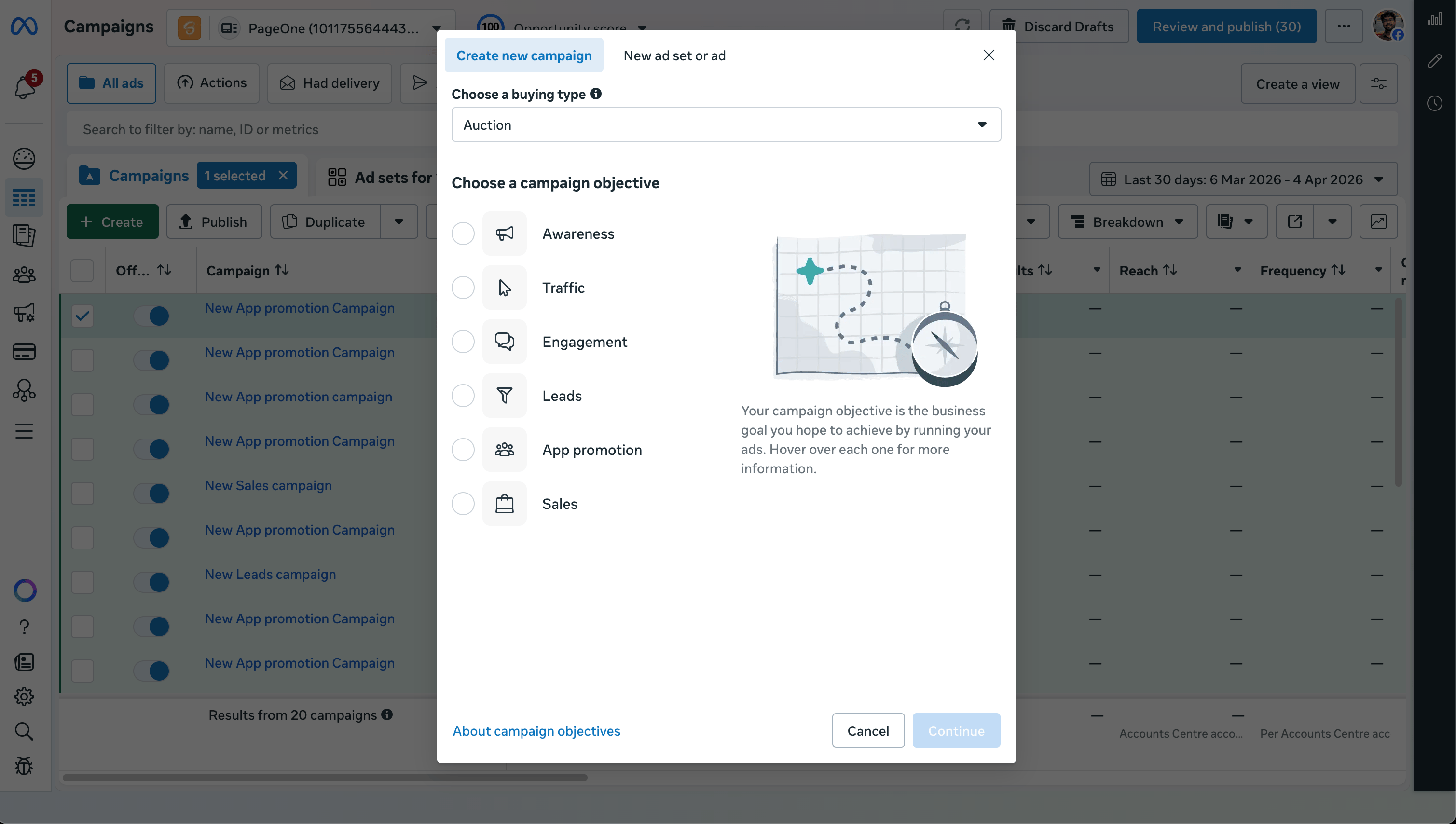 3. Set the campaign name.
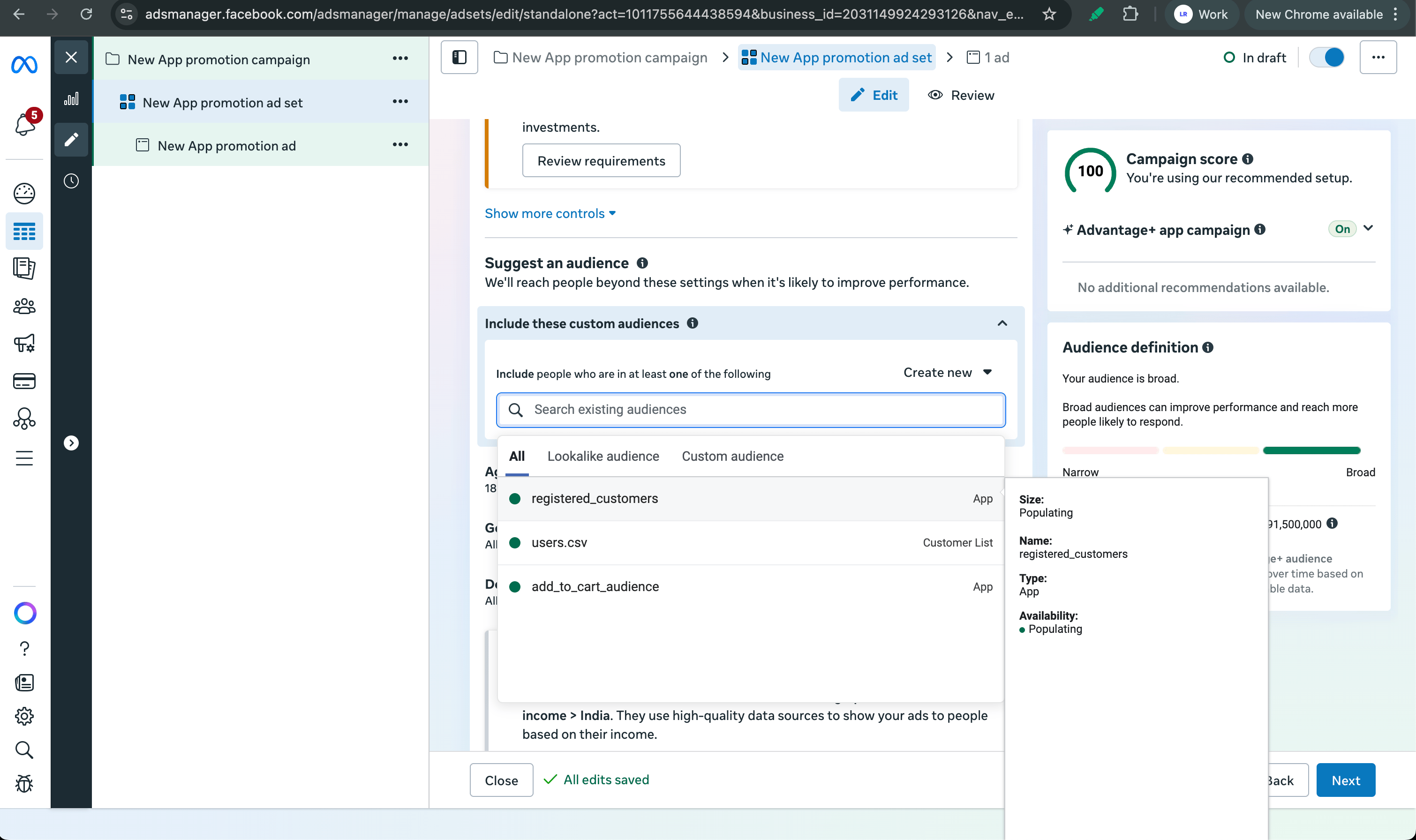
4. At the ad set level, scroll to the **Audience** section.
5. Under **Include these custom audiences**, search for and add the custom audiences you created in Audience Manager.
3. Set the campaign name.
4. At the ad set level, scroll to the **Audience** section.
5. Under **Include these custom audiences**, search for and add the custom audiences you created in Audience Manager.
 6. Configure the rest of your ad set (placements, budget, schedule) and add your creatives.
7. Review and publish the campaign.
## Google
### Prerequisites
* You have created an [audience segment](/features/remarketing-audience-segments#google) in Google Ads Audience Manager.
### Steps
1. In Google Ads, click **New campaign**.
2. Pick a campaign goal and subtype.
6. Configure the rest of your ad set (placements, budget, schedule) and add your creatives.
7. Review and publish the campaign.
## Google
### Prerequisites
* You have created an [audience segment](/features/remarketing-audience-segments#google) in Google Ads Audience Manager.
### Steps
1. In Google Ads, click **New campaign**.
2. Pick a campaign goal and subtype.
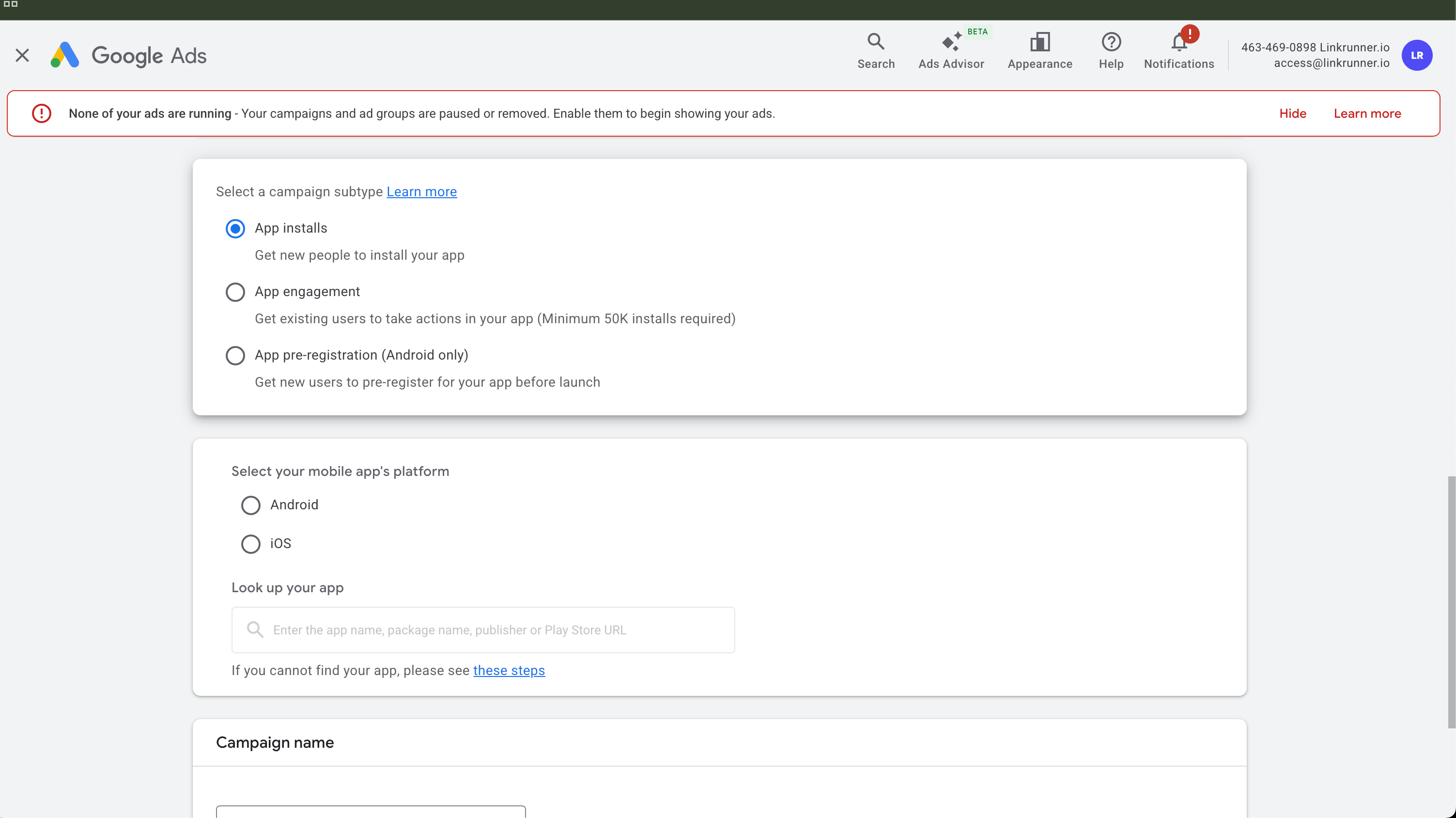 The **App engagement** subtype is only available for apps with 50,000+ installs.
3. Select your app platform and choose the app.
4. Set budget, bidding, locations, and campaign dates.
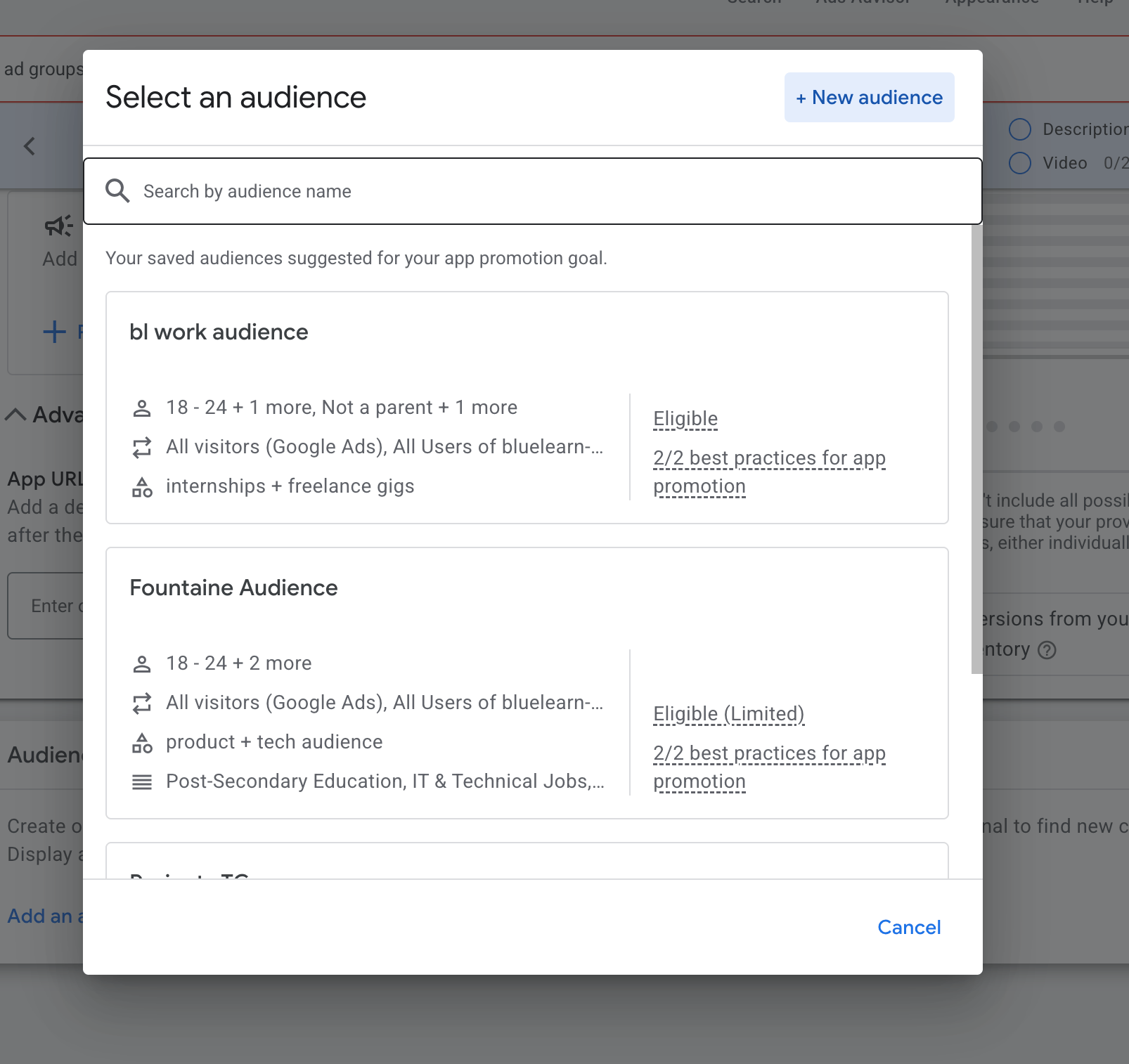
5. At the ad group level, scroll to the **Audience signal** section.
6. Click **Add an audience signal** and select your saved audience list or audience segment.
The **App engagement** subtype is only available for apps with 50,000+ installs.
3. Select your app platform and choose the app.
4. Set budget, bidding, locations, and campaign dates.
5. At the ad group level, scroll to the **Audience signal** section.
6. Click **Add an audience signal** and select your saved audience list or audience segment.
 7. Add creatives and assets.
8. Review campaign settings and launch.
7. Add creatives and assets.
8. Review campaign settings and launch.